These notes cover how to turn a VPN into a dedicated netvm on Qubes, then route an AppVM’s network through it.
Environment
- Qubes OS 4.2
- WireGuard VPN
- Template for the VPN AppVM: Fedora 38 (the version at the time)
- Template for the test AppVM: Debian 12
Installation
Template Setup
Install the WireGuard tools in the Fedora template, then shut the template down so the changes take effect:
sudo dnf install wireguard-tools -y
sudo shutdown -h now
Create the WireGuard AppVM
When creating the VPN qube, check Provides network access to other qubes, otherwise other qubes can’t use it as a network gateway:
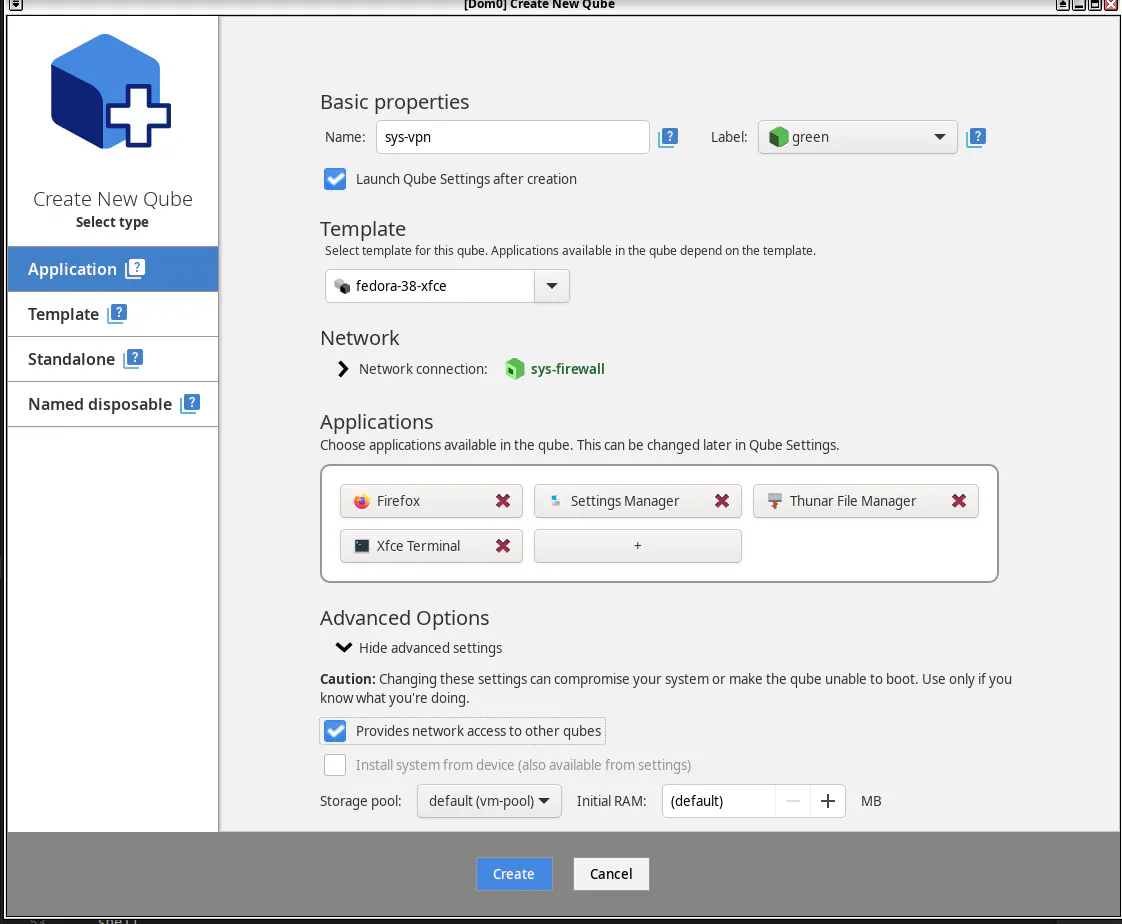
Then check NetworkManager under Services:
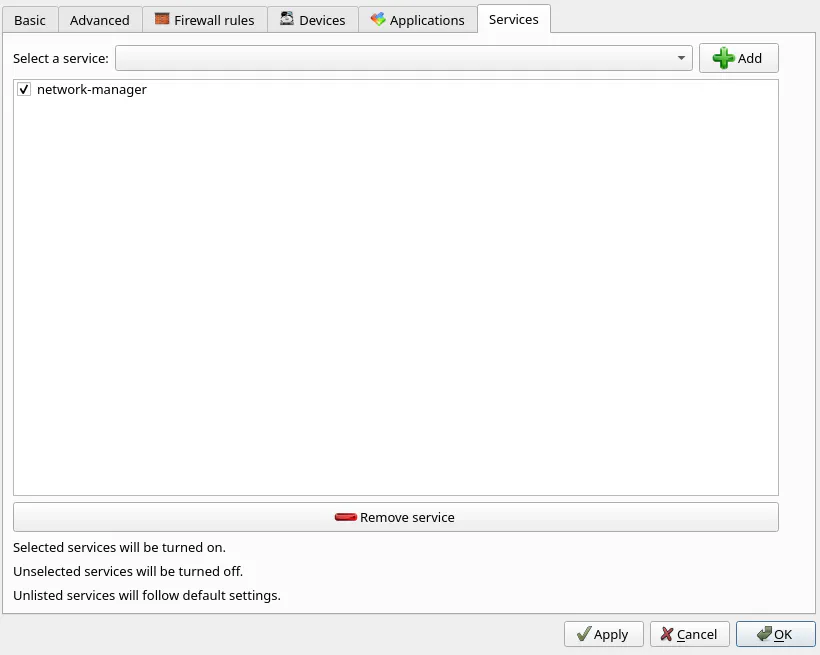
Then start it.
Configure WireGuard
With NetworkManager enabled above, you can import the WireGuard config directly:
nmcli con import type wireguard file /home/user/wg0.conf
NetworkManager will try to connect automatically after the import. Check the status with sudo wg.
Configure Forwarding
Append these rules to the end of /rw/config/qubes-firewall-user-script:
# Adjust MTU
nft add rule ip qubes custom-forward tcp flags syn / syn,rst tcp option maxseg size set rt mtu

# Force all qube traffic through the VPN; drop non-VPN traffic leaving eth0
nft add rule qubes custom-forward oifname eth0 counter drop
nft add rule ip6 qubes custom-forward oifname eth0 counter drop

# Hijack DNS queries to the VPN's DNS to prevent leaks
DNS=1.1.1.1
nft add chain qubes nat { type nat hook prerouting priority dstnat\; } 2>/dev/null || true
nft add rule qubes nat iifname == "vif*" tcp dport 53 dnat "$DNS"
nft add rule qubes nat iifname == "vif*" udp dport 53 dnat "$DNS"
If your VPN provider has its own DNS, replace DNS with the address it gives you. Mullvad’s notes on DNS leaks are here.
Restart this AppVM after the changes.
Verification
Create a new AppVM, set its network to the sys-vpn you just created, and check the exit IP after it boots:
curl -s https://ifconfig.me
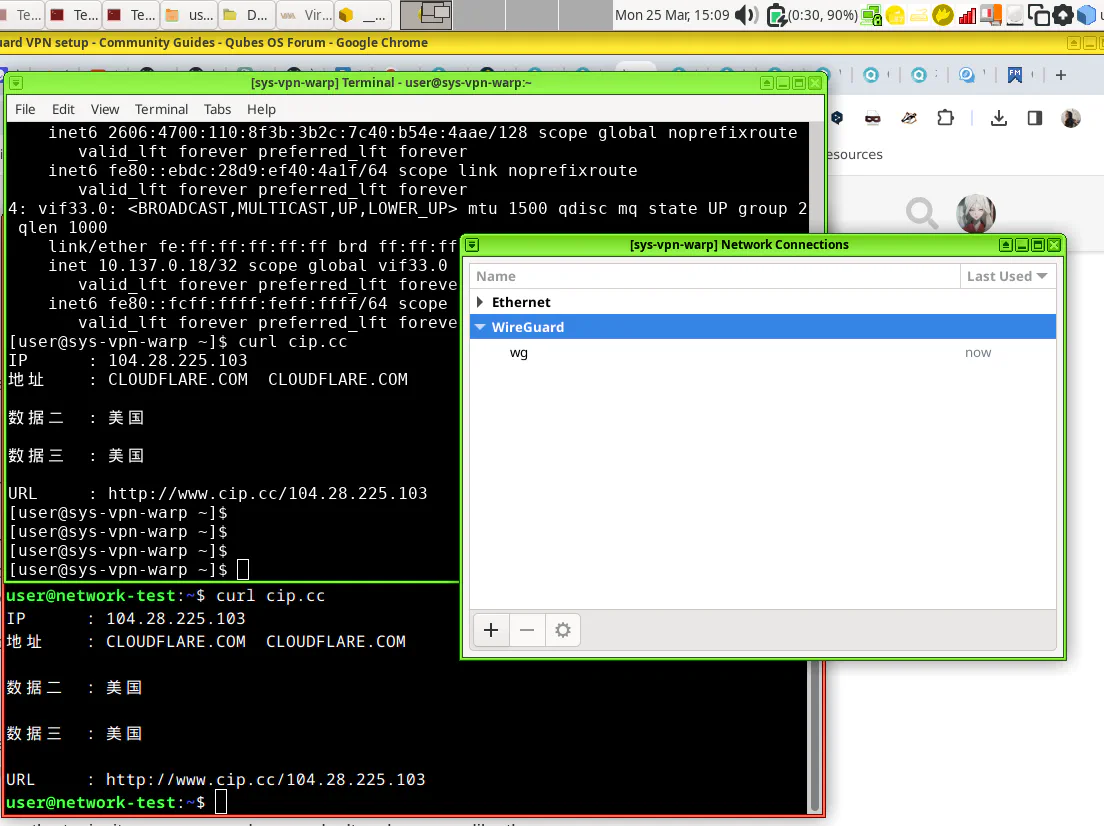
Then open Mullvad’s check page to see whether DNS is leaking, or check the current DNS in the AppVM:
resolvectl status
If DNS is still your local ISP’s or gateway’s address, go back and check whether the nftables rules above took effect.
What to Do Next
- Put this setup into Ansible to manage multiple VPN qubes at once
- Pair it with WARP custom IP selection and update the endpoint regularly
Comments