Introduction
This post records my RISC-V keywording workflow on Gentoo: emulate RISC-V with QEMU on an amd64 machine, run the tests, then submit the ~riscv keyword.
Environment Setup
Prepare a Gentoo amd64 virtual machine; QEMU provides the RISC-V emulation. For testing desktop applications you can use LXD or Incus; see Juippis’s testing setup, running Gentoo PR tests with Incus, and the Incus documentation.
Software to install:
| Software | Purpose |
|---|---|
| app-emulation/qemu | Emulate RISC-V on amd64 |
| sys-apps/bubblewrap | Unprivileged sandbox, similar to chroot |
| www-client/pybugz | Bugzilla command-line client |
You also need two accounts:
- Gentoo Bugzilla: to file keywording bugs
- GitHub: to open PRs against the Gentoo Portage mirror
Commits must be GPG-signed, so start by generating and configuring a GPG key following GitHub’s documentation.
Example: Prometheus
First check the keyword status on the Packages page. The screenshot uses terraform as an example; the commands below switch to app-metrics/prometheus, but the process is the same.
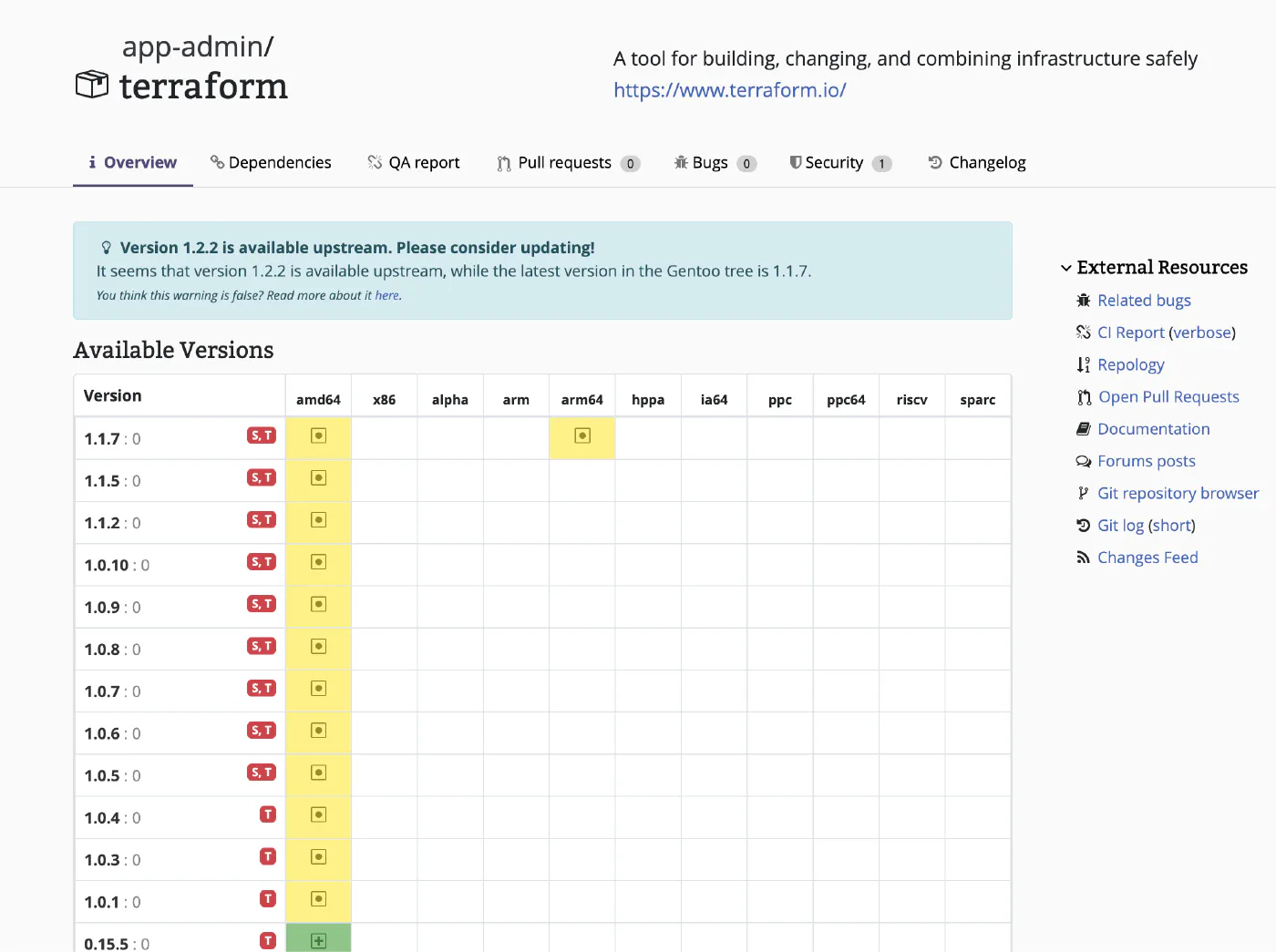
At the time, app-metrics/prometheus had no ~riscv keyword yet, so I used it to walk through the whole thing.
RISC-V Environment
Set QEMU’s USE flags and install it:
echo "app-emulation/qemu static-user QEMU_USER_TARGETS: riscv32 riscv64" >> /etc/portage/package.use/qemu
emerge -vj app-emulation/qemu --autounmask
Create a binary package:
quickpkg app-emulation/qemu
Register binfmt:
[ -d /proc/sys/fs/binfmt_misc ] || modprobe binfmt_misc
[ -f /proc/sys/fs/binfmt_misc/register ] || mount binfmt_misc -t binfmt_misc /proc/sys/fs/binfmt_misc
echo ':riscv64:M::\x7fELF\x02\x01\x01\x00\x00\x00\x00\x00\x00\x00\x00\x00\x02\x00\xf3\x00:\xff\xff\xff\xff\xff\xff\xff\x00\xff\xff\xff\xff\xff\xff\xff\xff\xfe\xff\xff\xff:/usr/bin/qemu-riscv64:' > /proc/sys/fs/binfmt_misc/register
On OpenRC, start it and enable it at boot:
rc-service qemu-binfmt start
rc-update add qemu-binfmt default
On systemd, write the registration line above into /etc/binfmt.d/qemu-riscv64.conf, then:
systemctl enable --now systemd-binfmt
Clone riscv-chroot-env, generate the rootfs, and chroot in:
git clone https://gitlab.com/cwittlut/riscv-chroot-env
cd riscv-chroot-env
./getLatest.sh
sudo ./createRootFS.sh
sudo ./chroot.sh
Once inside, it looks like this:

Git Configuration (Host)
First fork gentoo/gentoo, then clone your own repository:
git clone https://github.com/<your-user>/gentoo
cd gentoo
git config --local user.name "Your Name"
git config --local user.email "[email protected]"
git config --local pull.rebase true
git config --local --unset pull.ff
git config --local push.default simple
git config --local format.signoff yes
git config --local user.signingkey <your-key-id>
git config --local commit.gpgsign 1
git config --local push.gpgsign 0
push.gpgsign 0 is there because GitHub didn’t support signed pushes at the time.
Bugzilla Configuration
~/.bugzrc:
[Gentoo]
base = https://bugs.gentoo.org/xmlrpc.cgi
search_statuses = CONFIRMED, IN_PROGRESS, UNCONFIRMED
user = [email protected]
password = your-password
The password is stored in plain text here. Set
~/.bugzrcpermissions to 600 and don’t commit it to a repository.
Filing the Bug
bugz post --version unspecified --component "Keywording" \
  --product "Gentoo Linux" \
  --op-sys Linux \
  --platform All \
  --priority Normal \
  --severity normal \
  -t "app-metrics/prometheus: ~riscv keyword request" \
  -d "add ~riscv keyword"
Keywording
Sync master, pull the latest code, and create a branch:
git pull
git checkout -b prometheus-riscv
Add the keyword to the ebuild:
ekeyword ~riscv app-metrics/prometheus/prometheus-2.36.2.ebuild
You can also let nattka handle it by bug number:
nattka apply -a riscv --keywordreq 865633
Testing (QEMU User Environment)
tatt configuration:
arch=riscv
unmaskdir="/etc/portage/package.accept_keywords"
repodir="/var/db/repos/gentoo"
emergeopts="--autounmask-keep-keywords=y --autounmask-use=y --autounmask-continue --autounmask-write"
buildlogdir="./tatt/logs"
usecombis=1
rdeps=0
zbt lives in Leo3418’s ebuild overlay.
Generate the dependencies:
zbt -r gentoo/ ls --tatt app-metrics/prometheus
You can also use nattka inside the git repository:
nattka make-package-list -a riscv app-metrics/prometheus
Generate the test scripts and run them:
tatt -f zbt--app-metrics--prometheus
./zbt--app-metrics--prometheus-useflags.sh
Another example:
nattka --repo gentoo/ make-package-list -a riscv www-apps/rt
Post the test results to Bugzilla:
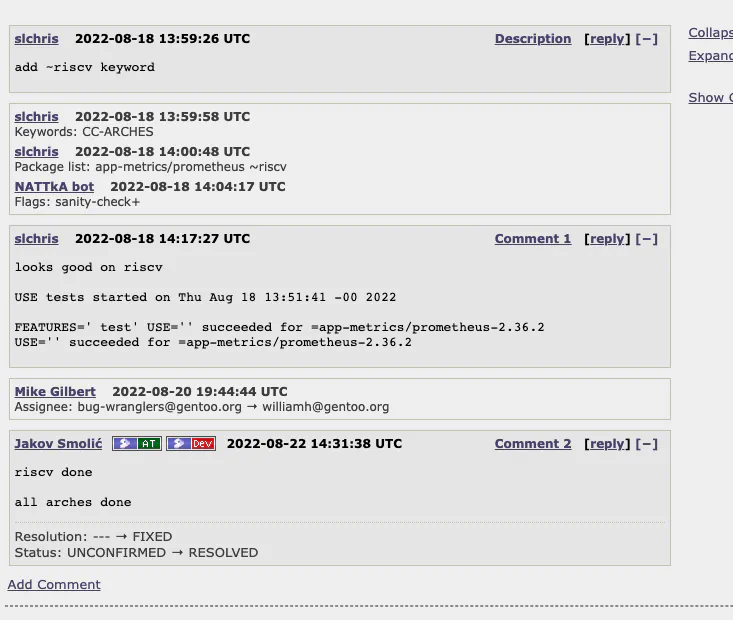
Generate the commit:
nattka commit -a riscv 865633
Check the commit:
pkgcheck scan --commits
Push to GitHub:
git push
Opening the PR
Open a PR on GitHub and link it back in Bugzilla. If nobody picks it up for a while, find the maintainer on #gentoo-dev in IRC.
Comments